Why Your Remarketing Campaign Setup Determines Revenue, Not Just Reach
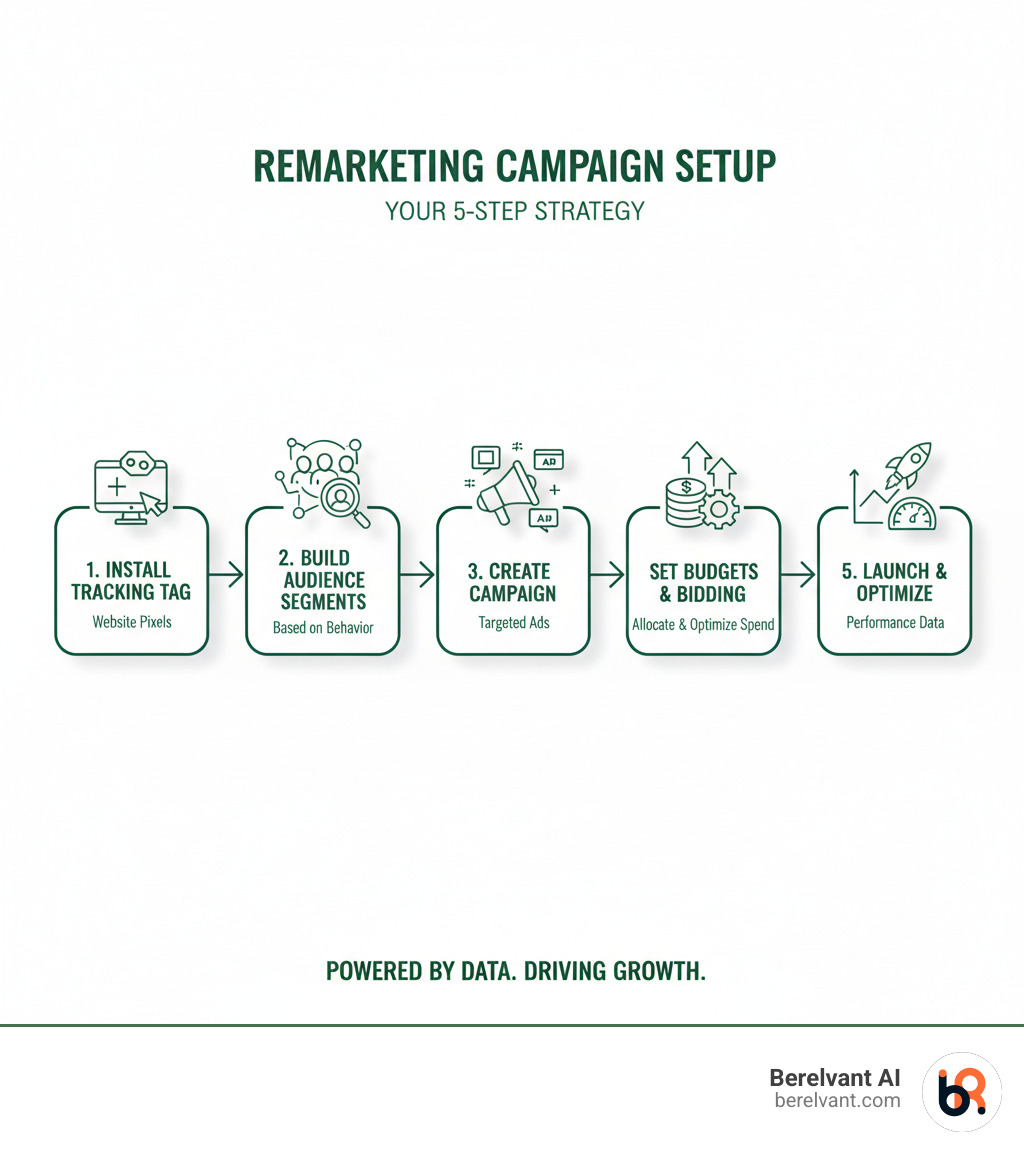
Remarketing campaign setup is the process of creating targeted advertising systems to re-engage users who have already interacted with your brand but didn’t convert. Here’s a quick overview:
- Install tracking pixels on your website.
- Create audience segments based on user behavior.
- Set up campaigns on your chosen ad platform (Google Ads, Facebook, etc.).
- Design personalized ads that speak to past visitor actions.
- Configure budgets and bids aligned with audience value.
- Launch and monitor performance.
Most first-time visitors to your site won’t convert. With the average e-commerce conversion rate sitting around 2.5% to 3%, you’re losing 97 out of every 100 potential customers. People browse, compare, get distracted, or simply aren’t ready to buy.
High-performing marketing isn’t just about traffic volume; it’s about what you do with the 97% who leave. Remarketing gives you a second chance to convert warm leads who already know your brand. Instead of spending more to attract cold traffic, you’re investing in people who’ve shown intent. The ROI is significant: remarketing ads can deliver much higher click-through rates and conversion rates than standard display ads.
However, many teams struggle with execution: fragmented data, confusing platforms, and tags that don’t fire correctly lead to wasted budgets. The gap between knowing remarketing is important and running profitable campaigns is a solid technical and strategic execution.
I’m Renzo Proano, and I’ve managed over $300 million in digital ad spend. At Berelvant AI, we help enterprise teams cut through the complexity and deploy remarketing infrastructures that scale across regions, comply with regulations, and deliver measurable revenue growth.
Understanding the Foundations of Remarketing
Remarketing is a smart way to have a second conversation with someone who already knows you. Most people need multiple touchpoints before they buy—research shows it can take at least six interactions to generate a conversion. Remarketing provides those crucial opportunities to stay in front of potential customers.
The technology relies on tracking pixels and cookies. When someone visits your website, a tracking pixel drops an anonymous browser cookie onto their device. This cookie assigns a unique identifier, allowing ad networks to recognize the user as they browse other sites and serve them targeted ads based on their on-site behavior.
This process collects first-party data, which is data coming directly from your customer interactions. It’s accurate, relevant, and vital for privacy-compliant advertising in a cookieless future. Getting this right leads to increased brand recall and impressive cost-effectiveness, as you’re investing in warm leads who are closer to converting.
What is Remarketing and How Does it Work?
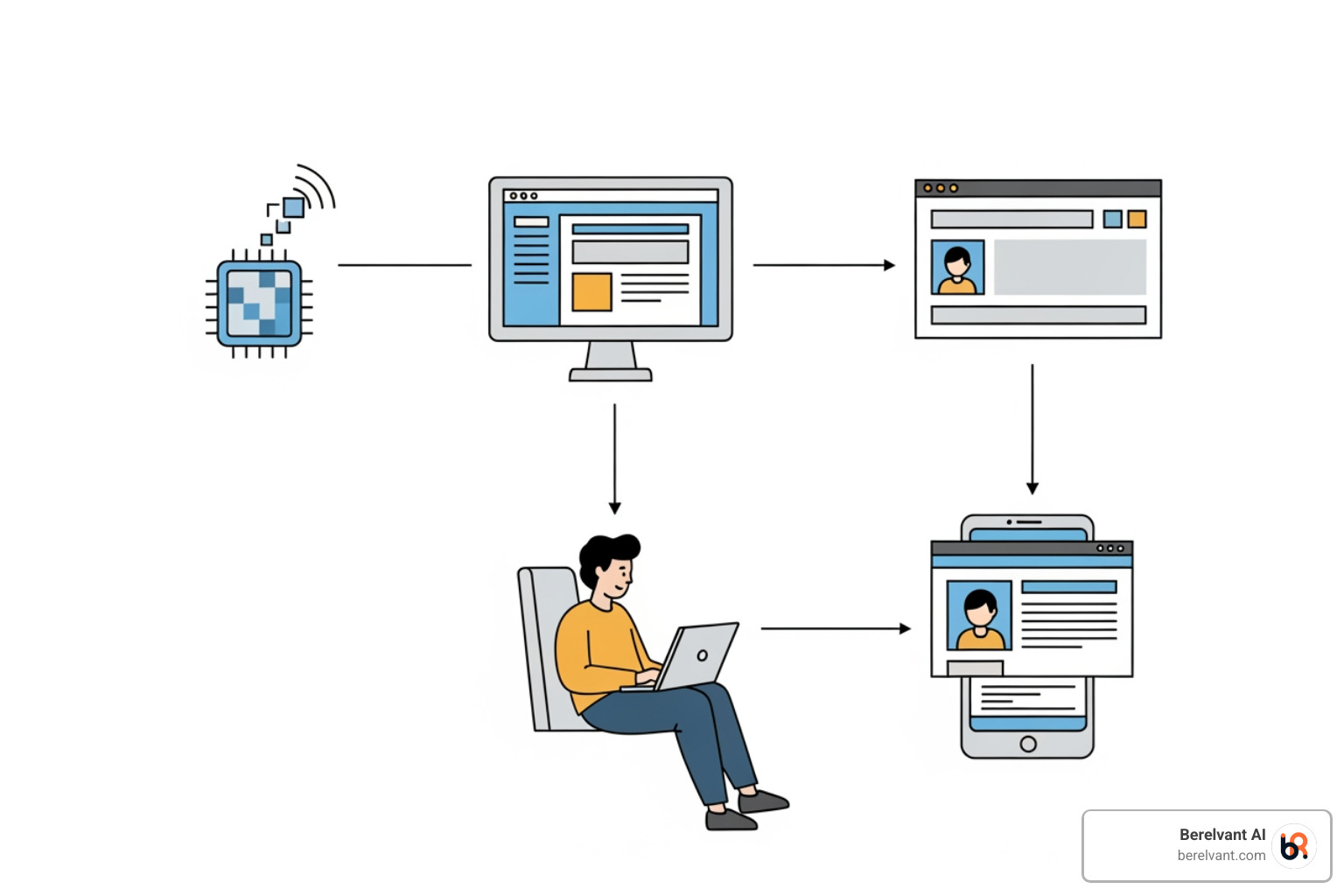
Remarketing re-engages past visitors who left your site without converting. The process is straightforward:
- You install a tracking code (a remarketing tag or pixel) on your website.
- When a user visits, the code drops an anonymous browser cookie on their device.
- Based on pages viewed or actions taken, users are sorted into audience lists (e.g., “cart abandoners,” “product viewers”).
- When these users browse other sites in the ad network, the platform detects their cookie and serves them targeted ads relevant to their previous behavior.
While “remarketing” and “retargeting” are often used interchangeably, retargeting typically refers to display ads that follow users, whereas remarketing can also include channels like email. Both aim to bring users back. User privacy and compliance are mandatory; your privacy policy must clearly state your use of cookies for online advertising.
Key Types of Remarketing Campaigns
Different campaign types match different goals. Here’s a breakdown:
- Standard Remarketing: Shows static or responsive display ads to broad audience segments (e.g., “all website visitors”). It’s great for general brand awareness.
- Dynamic Remarketing: Automatically shows users the exact products they viewed on your site. This is highly personalized and extremely effective for e-commerce and reducing cart abandonment.
- Video Remarketing: Targets users who have interacted with your YouTube channel or videos, allowing for brand storytelling across multiple touchpoints.
- Email Remarketing: Uses email campaigns to re-engage past customers, nurture leads, or recover abandoned carts with personalized messages.
- Customer Match: Leverages your first-party data (email lists, phone numbers) to reach known customers with personalized offers across Google properties (Search, YouTube, Gmail).
- Search-based Remarketing (RLSA): Targets past website visitors who are actively searching for your keywords on Google. This allows you to bid more aggressively or show custom messaging to high-intent users.
| Remarketing Type | Ad Format | Best For | Personalization Level |
|---|---|---|---|
| Standard Remarketing | Static image ads, text ads, responsive display ads | Re-engaging general website visitors; increasing brand awareness. | Low to Medium. Ads are generic to the audience segment. |
| Dynamic Remarketing | Highly personalized ads with specific products/services viewed | E-commerce; reducing cart abandonment. | High. Shows users the exact products they interacted with. |
| Video Remarketing | Video ads | Re-engaging users who interacted with your video content; brand storytelling. | Medium to High. Ads are relevant to previous viewing behavior. |
| Email Remarketing | Email campaigns | Re-engaging past customers; cart abandonment recovery. | High. Personalized emails based on purchase or browsing history. |
| Customer Match | Display, Search, YouTube, Gmail ads | Reaching existing customers; cross-selling/upselling. | High. Leverages your first-party data for highly targeted messages. |
| Search-based Remarketing (RLSA) | Text ads on Google Search Results Page | Reaching past visitors when they are actively searching on Google. | Medium. Custom messaging or higher bids for a high-value audience. |
Your Step-by-Step Remarketing Campaign Setup Guide
Successful remarketing campaign setup is about building a system that understands your customer’s journey. Before starting, define your conversion goals (sales, leads, traffic) and understand the cost models—Cost-Per-Click (CPC), Cost-Per-Impression (CPM), or Cost-Per-Acquisition (CPA)—to allocate your budget intelligently.
Step 1: Install Your Tracking Tag and Configure Data Sources
Your tracking tag is the foundation of your remarketing system. Without it, you can’t build audiences or measure performance.
You can use the Google Ads Tag or, for more granular control, Google Analytics 4 (GA4). To use GA4, link it to your Google Ads account and enable “Remarketing” and “Advertising Reporting Features.”
For implementation, Google Tag Manager (GTM) is the recommended method. Set up a “Conversion Linker” tag, then add your Google Ads Remarketing or GA4 configuration tag to fire on all pages. Alternatively, you can manually paste the code into your website’s <head> section, but this requires more maintenance.
For dynamic remarketing, your tag must collect product-specific data (ID, value, etc.), which often requires implementing a data layer on your site.
After installation, verify the tag is working using tools like Google Tag Assistant or by checking the “Data sources” section in Google Ads. Crucially, update your privacy policy to disclose your use of remarketing for compliance.
Step 2: Build High-Intent Audiences for Your Remarketing Campaign Setup
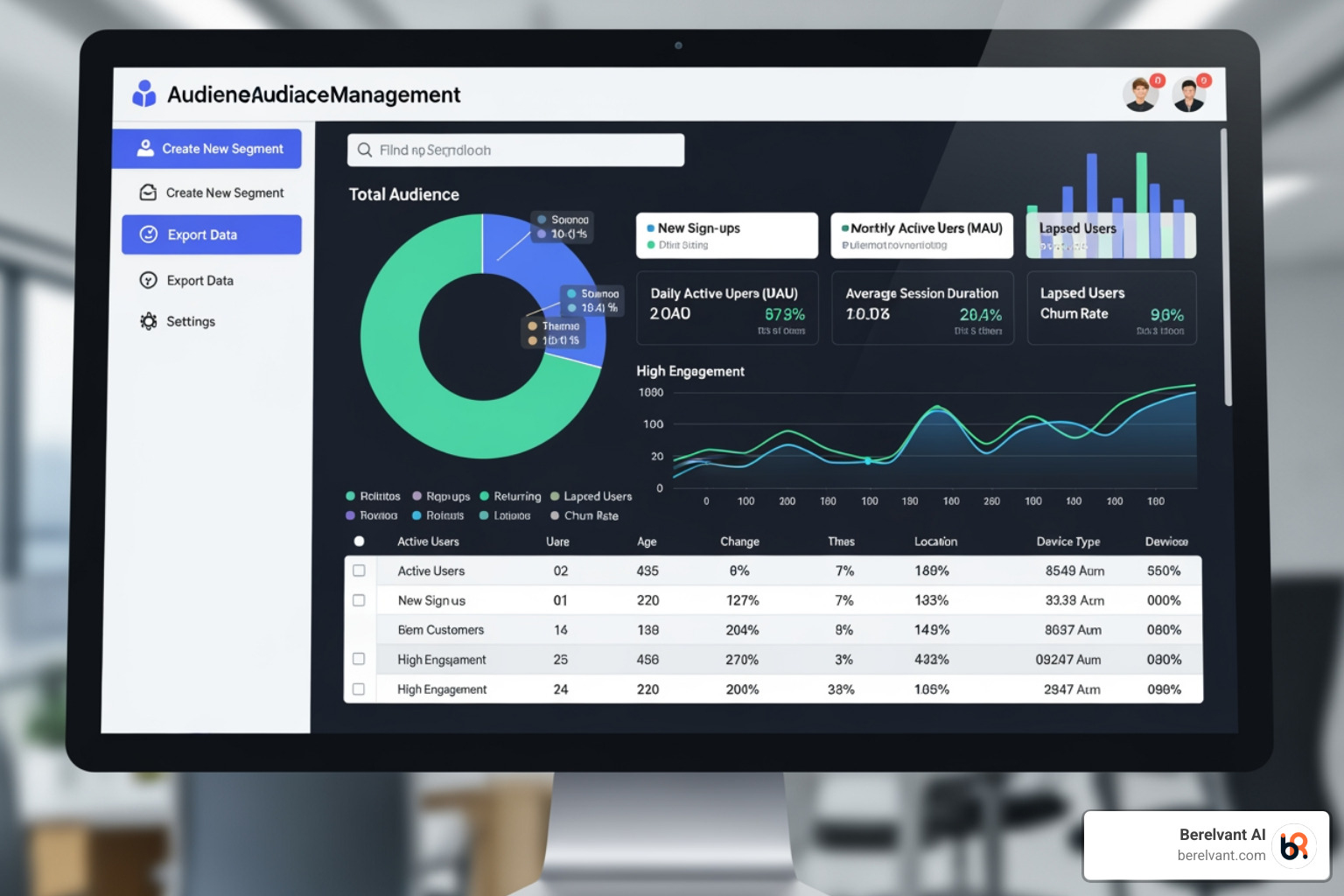
With tracking active, you can build remarketing lists in Google Ads (Tools and Settings > Shared library > Audience manager). Thoughtful segmentation leads to more effective campaigns.
Start with a broad All Website Visitors list, but create more specific, high-value segments:
- Cart abandoners: Users who added items to their cart but didn’t purchase.
- Product page viewers: Users who viewed specific products or categories.
- Lead magnet downloaders: Users who downloaded a resource but didn’t convert further.
- Past converters: Existing customers are great for upselling or loyalty campaigns.
- High-intent users: Visitors who spent significant time on site or viewed multiple pages.
Use custom combinations for laser-focused targeting (e.g., “visited product X” AND “did NOT purchase”).
Set the membership duration—how long a user stays on a list (1 to 540 days)—based on your sales cycle. Short cycles (e.g., fashion) may use 30-60 days, while long cycles (e.g., SaaS) may require 90-180 days or more.
Be mindful of minimum audience sizes: 100 active users in the last 30 days for Display and Shopping, and 1,000 active users for Search (RLSA), YouTube, and Demand Gen campaigns.
Step 3: Launching and Finalizing Your Remarketing Campaign Setup
Now, it’s time to launch. In Google Ads, create a new campaign and follow these steps:
- Choose an objective: Select “Sales,” “Leads,” “Website traffic,” or create a campaign without a goal’s guidance for full control.
- Select a campaign type: Choose “Display” for standard/dynamic remarketing or apply your lists to a “Search” campaign for RLSA. “Performance Max” can also work well for dynamic e-commerce ads.
- Set budget and bidding: Define a daily budget. For bidding, “Target CPA” or “Maximize conversions” are often best for remarketing, as they optimize for valuable actions.
- Configure targeting: Set your geographic locations and languages. Most importantly, select the remarketing lists you built in Step 2 to target your ads.
- Create ads: Organize ads into ad groups, often one per remarketing list. Use responsive display ads for broad reach, as they automatically adjust to fit different ad spaces. For dynamic remarketing, ensure your ads are linked to your product feed.
Finally, review all your settings carefully. Once you’re confident, publish your campaign. Your remarketing campaign setup is now live and working to bring back valuable visitors.
Best Practices for Maximizing Campaign Performance
Launching your campaign is just the start. True success comes from continuous optimization. Personalization is no longer optional. Research shows that 66% of customers expect businesses to understand their needs, and 71% get frustrated by generic experiences. Your remarketing campaign setup must reflect this by tailoring messages to a user’s journey.
Your ad creatives and call-to-action (CTA) are critical. Consider offering an incentive like free shipping or a limited-time discount. Ensure the landing page experience matches the ad’s promise—send users directly to the relevant product page, not your homepage.

Advanced Audience Segmentation to Reduce Cart Abandonment
Cart abandoners are one of your highest-intent audiences. They were moments away from buying.
Create a dedicated remarketing list for users who reached the cart page but not the order confirmation page. Craft ads specifically for this group, showing them the items they left behind and perhaps offering a small incentive like free shipping.
A critical step is to exclude recent purchasers from these campaigns to avoid annoying customers with ads for products they already bought. Set an exclusion period that makes sense for your business (e.g., 30 days).
For more precision, use custom combination audiences to target users at specific drop-off points in the checkout process. You can also use time-based segments to adjust your message based on how long ago a user abandoned their cart. A gentle reminder may work after a few hours, while a stronger incentive might be needed after a few days.
Leveraging Dynamic Remarketing for E-commerce
Dynamic remarketing shows users the exact products they viewed, complete with images, prices, and a direct link to buy. This high level of personalization removes friction and boosts conversions.
The foundation is your product feed, a file with all your product details (ID, title, price, etc.) managed in Google Merchant Center. Platforms like Shopify can sync this data automatically. Ensure your feed is always accurate and up-to-date.
Next, tag your website for dynamic remarketing by adding custom parameters to your Google Ads or GA4 tag. This tells the ad platform which products a user viewed.
When setting up a Display or Performance Max campaign, choose to “Use dynamic ads feed for personalized ads” and link your Merchant Center feed. The platform then automatically generates ads featuring the products each user saw.
Dynamic remarketing is also great for cross-selling and up-selling by showing past purchasers complementary items or premium alternatives.
For more ways to leverage AI for personalized, high-impact marketing, check out our insights on AI Marketing Strategies.
Avoiding Ad Fatigue with Frequency Capping
There’s a fine line between staying top-of-mind and being annoying. Bombarding users with ads leads to ad fatigue, where they tune out or develop a negative perception of your brand.
The solution is frequency capping, which limits how many times a user sees your ad in a given period (day, week, or month).
A good starting point, based on industry research, is to cap ads at around three impressions per day. However, this isn’t a universal rule. The right cap depends on your industry and sales cycle. A local restaurant might use a higher frequency than a B2B software company with a long decision process.
In Google Ads, you can set frequency caps at the campaign or ad group level for Display and Video campaigns. Test different caps and monitor performance. If click-through rates drop, your frequency might be too high. If reach is too low, you may need to increase it.
Monitoring, Testing, and Scaling Your Campaigns
Launching your remarketing campaign setup is just the beginning. The real work happens in how you monitor, test, and scale what’s working. Data-driven optimization is the key to turning a good campaign into a revenue-generating machine.
We closely watch key metrics to understand campaign health:
- Impressions and Clicks: Show reach and initial interest.
- Conversion Rate: Measures how well your message resonates.
- Return on Ad Spend (ROAS) and Cost Per Acquisition (CPA): Reveal the bottom-line financial impact.
This continuous feedback loop guides every optimization decision, from creative changes to budget allocation.

A/B Testing for Continuous Improvement
Successful remarketing is built on relentless A/B testing. Treat every element of your campaign as a variable to be optimized.
- Audience Segments: Test different lists against each other to find which behaviors signal the highest intent.
- Ad Creative: Test images, headlines, copy, and calls-to-action. A simple wording change can significantly lift conversion rates.
- Bid Strategies: Determine the most cost-effective path to conversions for different audiences (e.g., Target CPA vs. Maximize Conversions).
- Landing Pages: Ensure the post-click experience is seamless, consistent with the ad, and optimized for conversion.
Systematic testing helps uncover winning combinations and highly effective niche segments that drive performance.
Scaling Success with Lookalike and Similar Audiences
Once you identify high-performing remarketing lists, the next step is to find more people like them. This is where Similar Segments in Google Ads (or Lookalike Audiences on social platforms) become powerful.
These features use machine learning to analyze your best audiences and find new users with similar characteristics and behaviors. It’s a way to expand your reach beyond past website visitors and prospect for new customers who are likely to be interested in your offer.
This strategy bridges remarketing and new customer acquisition, using the intelligence from your best-performing segments to find new leads.
Dynamic prospecting takes this a step further by showing your best products to new, high-potential users, even if they’ve never visited your site. It combines user profiles with product data to deliver the right message at the right time, accelerating growth and scaling success.
Frequently Asked Questions about Remarketing
What are the minimum audience sizes for remarketing?
Ad platforms require minimum audience sizes to protect user privacy. The requirements vary by campaign type:
- Display Network and Shopping Campaigns: At least 100 active users in your list within the last 30 days.
- Search Network (RLSA), YouTube, and Demand Gen Campaigns: At least 1,000 active users in your list within the last 30 days.
If your list is too small, your ads will not run.
How do I choose the right membership duration for my audience list?
Membership duration, the time a user stays on your list, should reflect your sales cycle:
- Short Sales Cycles (e.g., e-commerce): A duration of 30-60 days is often appropriate for products with a quick decision process.
- Long Sales Cycles (e.g., B2B software): For complex purchases, a longer duration of 90-180 days (or up to 540 days) is more effective.
We recommend testing different durations to find what works best for your business.
What is the main benefit of using search-based remarketing?
Search-based remarketing (RLSA) is powerful because it tailors search campaigns to past website visitors, targeting them at a moment of high intent. The main benefits are:
- Customized Ads: Show specialized ads when a past visitor searches for your keywords on Google.
- Bid Adjustments: Bid higher for these valuable users to increase your visibility in search results.
- Custom Messaging: Modify ad copy to acknowledge their past visit or offer specific incentives, making the ad more relevant and increasing the likelihood of conversion.
Convert More Visitors into Customers
Remarketing is the difference between shouting into a crowd and having a meaningful conversation with an interested person. It’s a fundamental strategy that transforms how you approach conversions, nurturing relationships with warm leads who already know your brand.
Companies that implement strategic remarketing see higher conversion rates, reduced cart abandonment, and improved customer lifetime value. The ROI is substantial because you’re building on existing interest, not starting from scratch.
Success, however, depends on execution: functional tracking, smart audiences, personal-feeling ads, and a continuous testing framework. This is where many teams get stuck. At Berelvant AI, we build and manage these end-to-end acquisition systems for companies across the Americas, integrating media, creative, automation, and analytics into a unified engine. We use AI to accelerate delivery and multiply impact, especially in complex, multi-country environments.
Your website visitors are too valuable to lose. A well-executed remarketing strategy can turn browsers into loyal customers and measurable revenue.
Ready to see what’s possible? Get a Free Digital Marketing Analysis and find out how your campaigns can perform better.